

Small teams move fast, ship often, and handle a surprising number of secrets. API keys, database passwords, SSH keys, JWT signing keys, OAuth client secrets, and encryption keys all keep the lights on. They also attract attackers. Public breach reports consistently show that stolen credentials drive a large portion of intrusions, which is why a lightweight, disciplined approach to key management pays off quickly for small organizations. If you have been postponing a formal program because it sounds enterprise heavy, this guide gives you a practical playbook sized for teams of 5 to 50.
What counts as a “secret key” and why it matters
Not all secrets are created equal. Classify them by blast radius and by how they are used. This helps you set sane defaults for storage, distribution, and rotation.
| Secret type | Typical owner | Blast radius if leaked | Recommended storage | Delivery to a person | Baseline rotation mindset |
|---|---|---|---|---|---|
| API keys for third parties (Stripe, SendGrid) | App team | Service abuse, data exposure | Cloud secret manager or team password manager for human use | One-time, self-destructing link to the recipient | Rotate on compromise, review quarterly, prefer scoped keys |
| Database passwords | Platform or DevOps | Data exposure and tampering | Secret manager, never in code | One-time, self-destructing link, then rotate after handoff | Rotate on role changes, at least twice a year, enforce unique per environment |
| SSH private keys | Individual engineers | Lateral movement, full host control | Hardware or password manager with strong passphrase | Never send private keys, provision access via authorized_keys or SSO | Replace on departure immediately, enforce per-user keys |
| JWT signing keys or TLS private keys | Security or platform | Account takeover at scale, integrity loss | KMS or HSM, with restricted admins | No human delivery, automate deployment via KMS | Rotations planned, tested, with rollback, schedule at least annually |
| OAuth client secrets, webhooks signing secrets | App team | Impersonation, fraud | Secret manager | One-time, self-destructing link during setup | Rotate when roles change or third party is compromised |
| MFA recovery codes and TOTP seeds | IT or HR during onboarding | Account takeover | Password manager once delivered, no persistent email | One-time, self-destructing link, instruct storage in user’s vault | Single-use handoff, then destroy, treat like passwords |
References worth bookmarking: NIST’s key management guidance is the gold standard for lifecycle controls, rotation, and roles. See the Recommendation for Key Management Part 1 from NIST and the OWASP Secrets Management Cheat Sheet for developer friendly guardrails.
- NIST SP 800-57 Part 1: Recommendation for Key Management, General Guidance: https://csrc.nist.gov/publications/detail/sp/800-57-part-1/rev-5/final
- OWASP Secrets Management Cheat Sheet: https://cheatsheetseries.owasp.org/cheatsheets/Secrets_Management_Cheat_Sheet.html
- Verizon DBIR overview: https://www.verizon.com/business/resources/reports/dbir/
Core principles that keep small teams safe
- Least privilege and scoping: create keys that can do the minimum, for the smallest set of resources and environments. Prefer per service, per environment credentials.
- One source of truth: store secrets in a dedicated manager. Avoid scatter across docs, tickets, wikis, and chats. If your team has been sharing passwords in Slack or Teams, those credentials should be considered compromised.
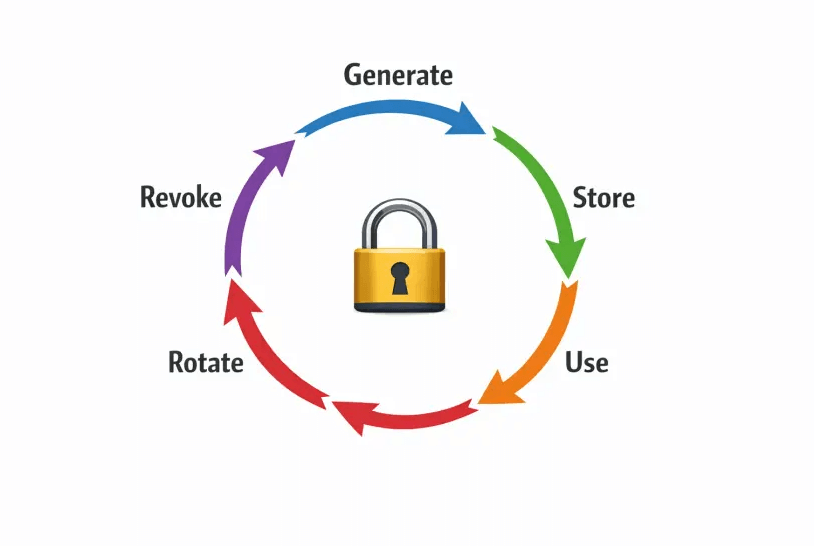
- Rotation ready by design: choose providers and patterns that make rotation painless. If rotation is painful, it will not happen.
- Ephemeral distribution: never send raw secrets by email or chat. Use a one-time, self-destructing, client-side encrypted link so nothing lingers in logs.
- Audit without hoarding: keep evidence that a secret was delivered or rotated, but do not retain the secret itself in your systems.
- Automate detection and revocation: secret scanning in repos and CI, alerts on leakage, and a clear rotation playbook.
If you need a deeper dive on the privacy model behind ephemeral distribution, see Client-side vs. server-side encryption and our plain language AES 256 explainer.
- Client-Side vs. Server-Side Encryption: https://nurbak.com/en/blog/client-side-vs-server-side-encryption-zero-knowledge/
- AES 256 encryption explained for non engineers: https://nurbak.com/en/blog/aes-256-encryption-explained-for-non-engineers/
The minimal viable key management program, in 30 days
Day 1 to 5, inventory and owners
- Build a single spreadsheet or document that lists every secret. Capture name, system, environment, scope, owner, where it is stored, last rotated date, how it is delivered, and how to revoke it.
- Assign a human owner for each secret. Owners approve access, initiate rotation, and handle revocation.
Day 6 to 10, consolidate storage
- Pick a storage home. For machine or app secrets, use your cloud provider’s secret manager or a managed vault. For human credential items, use an enterprise password manager.
- Remove plaintext from wikis, tickets, and chat history. Replace with pointers to the secret manager.
Day 11 to 15, set rotation baselines
- Decide what “good” looks like per class of secret. Example baselines: API keys reviewed quarterly, database passwords twice per year, JWT signing keys annually with preflight tests.
- Document a rotation runbook that engineers can follow without guesswork.
Day 16 to 20, make distribution ephemeral
- Standardize secret handoffs with one-time, self-destructing links that encrypt in the browser. This eliminates email and chat residue and supports data minimization.
- With Nurbak, you paste the secret, set one-time access, and send the link. The content is encrypted locally using AES-256 and the server stores only ciphertext. You can audit that the link was accessed without storing the secret itself.
- Send context over a different channel. For example, send the link in chat and the password hint by SMS, or vice versa.
Day 21 to 25, automate detection and response
- Turn on secret scanning in your repos and CI. GitHub provides built in detection. Establish alerts to a shared channel.
- Write a short incident playbook: if a secret appears in a repo or ticket, who rotates it, how do you confirm the new version is live, and how do you invalidate the leaked one.
Day 26 to 30, measure and improve
- Track three metrics: percentage of secrets with an owner, median time to rotate after a leakage event, and number of secrets outside the manager.
- Review a sample of deliveries for proof that ephemeral sharing was used.
Helpful references for controls and scanning
- NIST SP 800-53 Rev. 5, SC-12 and SC-13 for key establishment and management: https://csrc.nist.gov/publications/detail/sp/800-53/rev-5/final
- GitHub Secret Scanning: https://docs.github.com/en/code-security/secret-scanning/about-secret-scanning
Standard operating procedures you can copy
Onboard a new developer without leaving traces
- Create per environment, least privilege API keys for the services they need.
- Store keys in your secret manager and grant the developer access by group.
- For initial handoff items that must be typed, such as a temporary database password or recovery codes, send via a one-time, self-destructing link. Nurbak uses client-side encryption and one-time access to prevent logs or backups from ever containing the secret.
- Confirm receipt, then rotate or revoke any temporary onboarding secrets.
For detailed sending guidance, see How to share a secret with one-time links and The safest way to share an API key.
- How to share a secret with one-time links: https://nurbak.com/en/blog/how-to-share-secret-one-time-links/
- The safest way to share an API key: https://nurbak.com/en/blog/the-safest-way-to-share-an-api-key/
Rotate a database password with minimal downtime
- Create a new user or password in the database with the same privileges as the old one.
- Update application configuration to use the new credential through your secret manager, then deploy.
- Verify connections are succeeding with the new credential.
- Revoke the old user or password.
- Record the rotation in your inventory and ticket it for traceability.
Give a vendor temporary access without the zombie risk
- Create a scoped, time bound credential specific to the vendor.
- Share it via a one-time, self-destructing link. Ask the vendor to confirm access in a separate channel.
- Monitor use and revoke immediately at the end of the engagement.

Hardening checklist for small teams
- Unique secrets per service and per environment. Never reuse the same key across staging and production.
- No shared human accounts. Use individual identities with SSO where possible.
- Deny secrets in code repos. Add commit hooks and CI checks to fail builds on detected secrets.
- Protect build logs. Redact environment variables and rotate credentials used by CI runners.
- Eliminate screenshots and tickets with secrets. Replace with one-time links and delete the old content.
- Prefer authenticated encryption for your own crypto, for example AES with GCM mode, and never roll your own primitives. See NIST SP 800-38D for details if you implement cryptography yourself.
- Disable link previews in channels that might fetch one-time links automatically, or share links in code blocks that prevent preview bots from opening them. Test your collaboration tools to be sure.
Compliance without the bureaucracy
You can satisfy common buyer and auditor expectations by showing that you minimize retention, encrypt end to end, rotate predictably, and keep basic evidence of your process. The approach in this guide maps cleanly to SOC 2, ISO 27001, and GDPR principles such as storage limitation and data minimization. Ephemeral, zero knowledge transmission is a strong control because it removes data from persistent systems by default, so there is little to delete later.
Policy template you can adapt today
- Secrets must never be sent in plaintext by email, tickets, or chat. Use one-time, self-destructing links for all human to human transfers.
- All secrets must have an owner, be stored in an approved secret manager, and have defined rotation and revocation steps.
- Keys must be scoped to the minimum permissions and environments required.
- Incident response requires immediate rotation of any secret found in code, logs, docs, or tickets, with confirmation that the new secret is in use.
- Departing users trigger revocation of their credentials and any credentials they created for others.
Common mistakes to avoid
- Copying secrets into wikis, runbooks, or paste sites like Pastebin for convenience. Replace with pointers to your manager and one-time links for distribution.
- Reusing the same API key across multiple services. Compromise in one place becomes compromise everywhere.
- Hardcoding secrets into code or infrastructure as code. Use references to your secret manager at runtime.
- Treating rotation as a special event. Make it routine and scriptable so it is fast.
- Assuming password managers solve everything. They are great for human secrets but do not replace KMS or secret managers for applications.
How Nurbak fits into a small team program
Nurbak solves one specific and painful part of key management, the human to human handoff. It uses client-side AES-256 encryption and a zero knowledge design so your secret never exists on the server in plaintext. You create a one-time, self destructing link, deliver it to the recipient, and the content is permanently deleted after they read it. Admin friendly audit access logs give you proof that the link was opened, without storing the secret itself. This reduces residual data in email, chat, tickets, and backups, and it aligns with storage limitation and minimization principles.
If you already use a secret manager for storage, Nurbak complements it by making distribution ephemeral, short lived, and auditable, which is exactly what most audits and security reviews look for.
Frequently asked questions
Do we need a full blown HSM to be safe? Most small teams do not. Use your cloud KMS or a managed secret manager for application secrets and signing keys. HSMs are great for high assurance needs, but they add cost and complexity. Start with KMS and clear rotation runbooks.
How often should we rotate keys? Use a risk based cadence. High value or widely scoped secrets deserve more frequent rotations and thorough preflight tests. Many teams review API keys quarterly, database passwords at least twice per year, and signing keys annually with a rehearsal. Rotate immediately on leakage or role changes.
What is the safest way to deliver a password to a new hire? Use a one time, self destructing link with client side encryption, then confirm receipt in a separate channel. Ask them to store it in the team’s password manager and rotate any temporary credential afterward.
How do we prevent secrets from entering git? Enable pre commit hooks and CI secret scanning, block merges on findings, and educate developers that environment variables and secret references should come from your manager at runtime. If a secret slips in, rotate it immediately and remove it from history.
Can we audit deliveries without storing secrets? Yes. Tools like Nurbak provide audit access logs that show when a link was accessed, and the content itself is never stored in plaintext because encryption happens in the browser.
What about link previews that may consume one time links? Disable previews in channels used for secret delivery or send the link in a format that prevents automatic fetching. You can also coordinate with the recipient to open the link only after you send it and confirm time windows.
Make secret sharing the safest part of your workflow
Stop letting email or chat become a permanent archive of your most sensitive keys. Create a zero knowledge, one time link with Nurbak, share it, and be confident there is nothing left behind to clean up.
Get started in minutes: Create a secure one-time link now