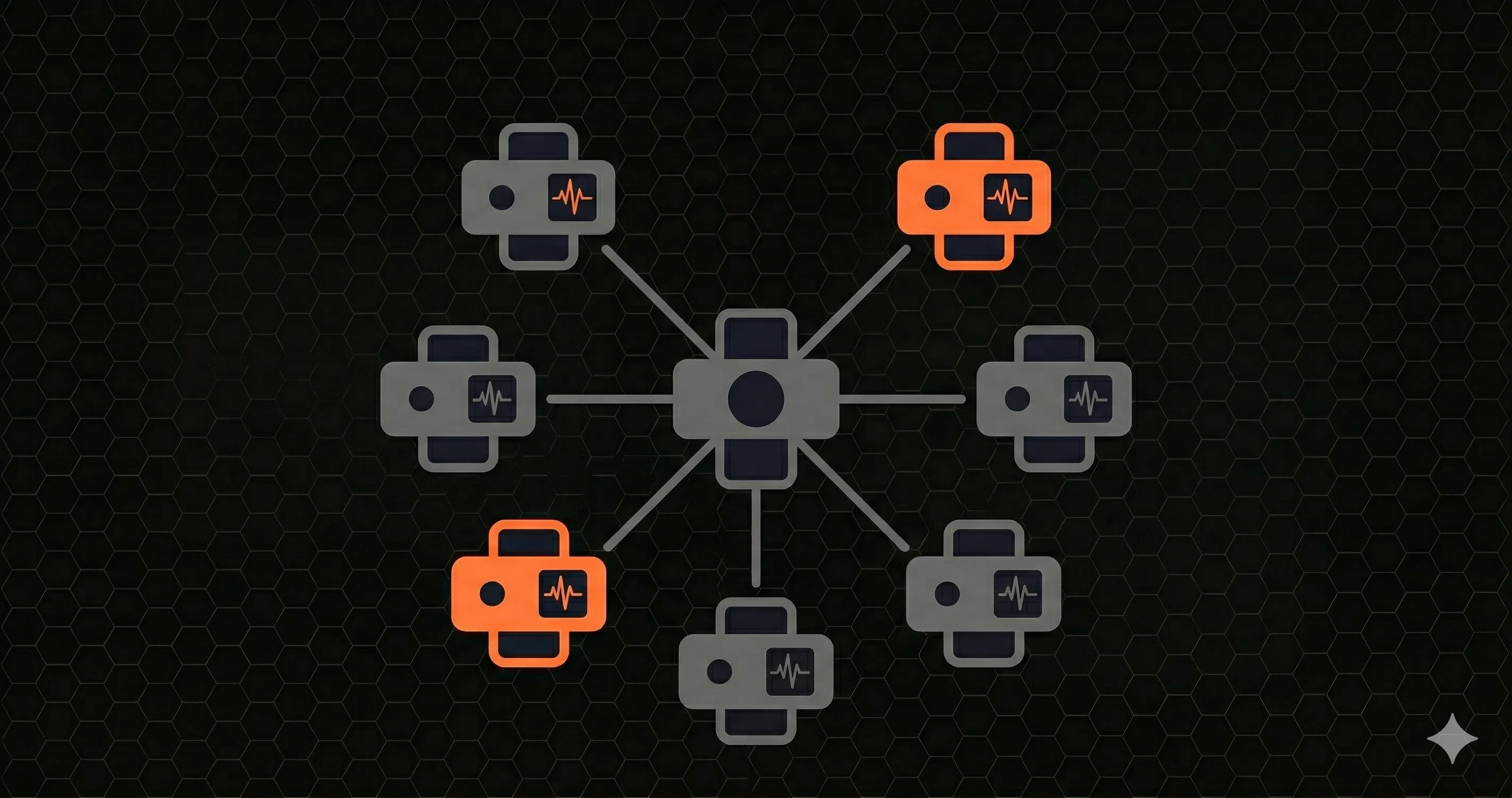
Your API has 47 endpoints. You monitor one of them, the health check. It returns 200. You assume everything is fine.
Meanwhile, /api/checkout is timing out for 12% of users. /api/search response times have tripled since last Tuesday's deploy. And your SSL certificate expires in 3 days, which nobody noticed because the monitoring tool only checks HTTP status codes.
This is the gap between "uptime monitoring" and real endpoint monitoring. Uptime tells you the server is alive. Endpoint monitoring tells you whether each route in your API is performing the way it should, and warns you before things break.
This guide covers what endpoint monitoring is, why it matters, the 7 metrics you need to track, a comparison of endpoint monitoring tools, and how to set it up in under 5 minutes.
What Is Endpoint Monitoring?
Endpoint monitoring is the practice of continuously observing API endpoints (the specific URLs that accept and respond to HTTP requests) to measure their availability, speed, correctness, and reliability over time.
An endpoint is any route your API exposes: /api/users, /api/orders/:id, /api/auth/login. Each one has different performance characteristics, different traffic patterns, and different failure modes. A single health check cannot capture all of this.
Where basic uptime monitoring asks "Is the server responding?", endpoint monitoring asks:
- Is this specific route responding?
- How fast is it responding, at the 50th, 95th, and 99th percentile?
- What percentage of requests are returning errors?
- Has performance changed compared to yesterday or last week?
- Are users in different regions experiencing different latency?
Think of it this way: uptime monitoring is a smoke detector. Endpoint performance monitoring is a full diagnostic panel that tells you the temperature of every room, the pressure in every pipe, and whether any of them are trending toward failure.
If you have not set up a health check route yet, start there, our guide on building an API health check endpoint covers the basics. But once you have that foundation, endpoint monitoring is the next step.
Why Endpoint Monitoring Matters
Every team that has been burned by a production incident has the same story: "We didn't know until users told us." Endpoint monitoring exists to eliminate that sentence from your postmortems.
Real failures that uptime checks miss
Slow endpoints that never "go down." Your /api/search endpoint starts taking 6 seconds instead of 200 milliseconds. The server still returns 200. Your uptime monitor reports 100%. Meanwhile, users are abandoning your app because search feels broken. An endpoint monitoring tool tracking P95 latency would have flagged this within minutes.
Partial outages. Your database read replica falls behind. Endpoints that read from it return stale data or timeout intermittently, maybe 5% of requests. Your health check hits the primary database, so it reports healthy. Endpoint monitoring catches the elevated error rate on affected routes.
Third-party dependency failures. Your payment endpoint calls Stripe. Stripe's API starts responding in 8 seconds instead of 300 milliseconds. Your endpoint doesn't crash, it just hangs. Without per-endpoint latency monitoring, you won't notice until checkout conversion drops.
SSL certificate expiration. Your certificate expires on a Saturday. Your app starts serving warnings or failing entirely for HTTPS clients. If your monitoring tool tracked SSL expiry as a metric, you would have gotten an alert 14 days in advance.
Geographic performance regression. A CDN configuration change causes users in Asia-Pacific to experience 3x higher latency. Users in the US see no difference. Without multi-region endpoint checks, you only discover this when your APAC support queue fills up.
The cost of not monitoring
Gartner estimates the average cost of IT downtime at $5,600 per minute. But partial degradation (the kind endpoint monitoring catches) is harder to quantify and often more expensive over time. A checkout endpoint that is 2 seconds slower doesn't trigger an outage page, but it reduces conversion by 7% every day it goes unnoticed.
7 Key Metrics for Endpoint Monitoring
Not all metrics are equally important. Here are the seven that give you the most signal with the least noise, ordered by how quickly they detect real problems.
1. Response Time (Latency Percentiles)
The single most important metric. Track P50 (median), P95, and P99 for every endpoint.
- P50the experience of your typical user
- P95the experience of users on slow connections or hitting complex queries
- P99your worst-case scenario (cold starts, GC pauses, connection pool exhaustion)
Averages lie. If your average response time is 200ms but your P99 is 12 seconds, 1% of your users are having a terrible experience, and they are probably your most active users hitting your most complex endpoints.
// Example: calculating percentiles from request logs
type RequestLog = { endpoint: string; duration: number; timestamp: number }

function percentile(values: number[], p: number): number {
  const sorted = [...values].sort((a, b) => a - b)
  const index = Math.ceil((p / 100) * sorted.length) - 1
  return sorted[index]
}

function getEndpointMetrics(logs: RequestLog[], endpoint: string) {
  const durations = logs
.filter(l => l.endpoint === endpoint)
.map(l => l.duration)

  return {
p50: percentile(durations, 50),
p95: percentile(durations, 95),
p99: percentile(durations, 99),
count: durations.length,
  }
}

// Usage
const metrics = getEndpointMetrics(logs, '/api/checkout')
// { p50: 180, p95: 620, p99: 3200, count: 14832 }
2. Error Rate
The percentage of responses returning 4xx or 5xx status codes, measured per endpoint. A global error rate hides problems, /api/health returning 100% success dilutes the fact that /api/payments is failing 8% of the time.
Track client errors (4xx) and server errors (5xx) separately. A spike in 400s often means a frontend deploy shipped broken request formatting. A spike in 500s means your backend is crashing.
Alert thresholds:
- 5xx rate above 1% for 2 minutes, warning
- 5xx rate above 5% for 1 minute, critical
- 4xx rate above 10% sustained, investigate (may be normal for auth endpoints)
3. Uptime (Availability)
Measure uptime from real request data, not synthetic pings. If your endpoint served 100,000 requests today and 500 returned 5xx, your real availability is 99.5%, regardless of what an external ping service says. For a deeper look at measuring REST API availability, see our REST API monitoring guide.
| SLA Target | Allowed Downtime/Month | Typical Use Case |
|---|---|---|
| 99.9% | 43 minutes | SaaS products, internal APIs |
| 99.95% | 22 minutes | E-commerce, fintech |
| 99.99% | 4.3 minutes | Payment processors, infrastructure |
4. Time to First Byte (TTFB)
TTFB measures the time between sending a request and receiving the first byte of the response. It captures DNS resolution, TCP handshake, TLS negotiation, and server processing time, everything that happens before data starts flowing.
High TTFB with normal total response time usually points to network-level issues (slow DNS, TLS overhead, geographic distance). High TTFB with high total response time points to server-side processing problems.
// Measuring TTFB in Node.js
import { performance } from 'perf_hooks'

async function measureTTFB(url: string) {
  const start = performance.now()

  const response = await fetch(url, {
signal: AbortSignal.timeout(10000),
  })

  const ttfb = performance.now() - start

  // Read the full body to get total time
  await response.text()
  const total = performance.now() - start

  return {
ttfb: Math.round(ttfb),
total: Math.round(total),
transferTime: Math.round(total - ttfb),
  }
}

// { ttfb: 145, total: 230, transferTime: 85 }
5. SSL Certificate Expiry
An expired SSL certificate takes your entire HTTPS-serving API offline instantly. There is no graceful degradation, browsers and HTTP clients refuse to connect.
Monitor the number of days until expiry. Alert at 30 days, 14 days, and 7 days. Automate renewal with Let's Encrypt or your provider's API, but always monitor as a safety net because automation fails silently more often than you expect.
6. Throughput (Requests per Second)
Throughput tells you how much traffic each endpoint handles. A sudden drop in throughput on /api/checkout during peak hours might mean users cannot reach the page that triggers the checkout call. A sudden spike might indicate a bot attack or a retry storm from a broken client.
Track throughput per endpoint, not just globally. Global throughput can stay flat while traffic shifts between endpoints in ways that matter.
7. Geographic Latency
If your users are global, your monitoring should be too. An endpoint that responds in 80ms from Virginia might respond in 600ms from Tokyo if your server is in us-east-1 with no CDN or edge caching.
Run checks from at least 3 regions: your primary server region, a secondary region where you have significant traffic, and the region farthest from your server. The delta between regions tells you whether you need edge functions, CDN caching, or regional deployments.
Endpoint Monitoring Tools Comparison (2026)
The endpoint monitoring software market ranges from free open-source tools to enterprise APM platforms. Here is how the major endpoint monitoring tools compare for teams shipping APIs in 2026.
| Tool | Pricing | Setup | Monitoring Type | Best For |
|---|---|---|---|---|
| Datadog | From $23/host/mo | Agent install + config | APM + synthetic | Enterprise teams with large infra |
| New Relic | From $49/host/mo | Agent install + config | Full observability + synthetic | Teams needing distributed tracing |
| Pingdom | From $15/mo | URL entry in dashboard | Synthetic (external pings) | Simple uptime monitoring |
| UptimeRobot | Free (50 monitors) | URL entry in dashboard | Synthetic (external pings) | Budget-conscious teams, side projects |
| Checkly | From $30/mo | Code-based (Playwright) | Synthetic + API checks | Teams wanting monitoring-as-code |
| Better Stack | From $24/mo | URL entry + integrations | Synthetic + incident mgmt | Teams needing status pages + on-call |
A few things stand out from this comparison. External synthetic tools (Pingdom, UptimeRobot) are easy to set up but only test endpoints at fixed intervals, they miss issues that occur between checks. APM tools (Datadog, New Relic) capture everything but require significant configuration, add agent overhead, and cost significantly more at scale.
Embedded monitoring (where the SDK runs inside your application and observes real traffic) gives you 100% request coverage with minimal setup. For a deeper comparison of monitoring tools suited for smaller teams, see our best API monitoring tools for indie hackers guide.
How to Set Up Endpoint Monitoring in 5 Minutes
Here is a practical example using a Next.js application. The approach uses the instrumentation.ts hook that Next.js provides for server-side telemetry.
Step 1: Install OpenTelemetry
npm install @vercel/otel @opentelemetry/apiStep 2: Add the instrumentation hook
Create or edit instrumentation.ts in your project root:
// instrumentation.ts
import { registerOTel } from '@vercel/otel'

export function register() {
  registerOTel({ serviceName: 'my-api' })
  // Next.js emits a span for every API route handler
  // No need to list endpoints manually
}
Step 3: Enable instrumentation in Next.js config
// next.config.ts
const nextConfig = {
  experimental: {
instrumentationHook: true,
  },
}

export default nextConfig
Step 4: Point it at your backend
# .env.local
OTEL_EXPORTER_OTLP_ENDPOINT=https://your-otlp-backend.example.com
Step 5: Deploy and verify
Once deployed, spans for every API route in your Next.js app flow to your tracing or APM backend, where you can chart response times, status codes, error rates, and throughput per endpoint and set alerts on them.
You can also set up endpoint monitoring without an SDK by writing a standalone script that pings your endpoints on a schedule:
// standalone-monitor.ts
// A simple endpoint monitor you can run with a cron job

interface EndpointCheck {
  url: string
  expectedStatus: number
  maxLatencyMs: number
}

const endpoints: EndpointCheck[] = [
  { url: 'https://api.example.com/api/health', expectedStatus: 200, maxLatencyMs: 500 },
  { url: 'https://api.example.com/api/users', expectedStatus: 200, maxLatencyMs: 1000 },
  { url: 'https://api.example.com/api/checkout', expectedStatus: 200, maxLatencyMs: 2000 },
]

async function checkEndpoint(endpoint: EndpointCheck) {
  const start = performance.now()

  try {
const res = await fetch(endpoint.url, {
  method: 'GET',
  signal: AbortSignal.timeout(10000),
})

const latency = Math.round(performance.now() - start)
const healthy = res.status === endpoint.expectedStatus && latency <= endpoint.maxLatencyMs

return {
  url: endpoint.url,
  status: res.status,
  latency,
  healthy,
  reason: !healthy
    ? res.status !== endpoint.expectedStatus
      ? `Expected ${endpoint.expectedStatus}, got ${res.status}`
      : `Latency ${latency}ms exceeds ${endpoint.maxLatencyMs}ms threshold`
    : null,
}
  } catch (error) {
return {
  url: endpoint.url,
  status: 0,
  latency: Math.round(performance.now() - start),
  healthy: false,
  reason: error instanceof Error ? error.message : 'Unknown error',
}
  }
}

async function runChecks() {
  const results = await Promise.all(endpoints.map(checkEndpoint))
  const failures = results.filter(r => !r.healthy)

  if (failures.length > 0) {
console.error('Endpoint failures detected:')
failures.forEach(f => {
  console.error(`  ${f.url} - ${f.reason} (${f.latency}ms)`)
})
// Send alert via Slack, email, PagerDuty, etc.
  }

  return results
}

runChecks()
This gives you basic monitoring, but it only runs when triggered and only tests from one location. For production use, you want continuous monitoring from multiple regions with historical data and alerting, which is what dedicated endpoint monitoring software provides.
Endpoint Monitoring Best Practices
Setting up monitoring is step one. Making it useful requires tuning your configuration so you get actionable alerts instead of noise.
Choose the right check intervals
| Endpoint Type | Recommended Interval | Rationale |
|---|---|---|
| Payment / Auth | 30 seconds | Revenue-critical, failures must be caught immediately |
| Core API routes | 1-2 minutes | Balances coverage with cost of synthetic checks |
| Admin / Internal | 5 minutes | Lower traffic, less urgency |
| Health check | 30-60 seconds | Used by load balancers for routing decisions |
If you use embedded monitoring (an SDK or OpenTelemetry inside your app), intervals are irrelevant, every real request is captured. Intervals only apply to synthetic monitoring where an external service sends test requests.
Set alert thresholds that reduce noise
The biggest reason teams ignore monitoring alerts is false positives. A single slow request should not wake you up at 3 AM. Use these patterns:
- Require sustained failures. Alert on "P95 latency above 2s for 3 consecutive minutes," not "any request above 2s."
- Use different severity levels. Warning at 2x normal latency, critical at 5x. Warning goes to Slack, critical pages someone.
- Set per-endpoint baselines. A search endpoint with a 500ms baseline and a static config endpoint with a 50ms baseline need different thresholds.
- Alert on rate of change. "P95 latency increased 200% in the last 10 minutes" catches regressions regardless of absolute values.
Monitor from multiple regions
A single monitoring location gives you one perspective. Your users are not all in one location. Run checks from at least three geographic regions:
- The region where your server is hosted (baseline measurement)
- Your largest user region outside the server's region
- The region farthest from your server (worst-case measurement)
Compare latency across regions regularly. If the gap between your closest and farthest region exceeds 500ms, consider edge functions, regional deployments, or CDN caching for read-heavy endpoints.
Monitor the full request lifecycle
HTTP status codes and response times are the minimum. For complete endpoint performance monitoring, also track:
- DNS resolution timespikes here affect all endpoints simultaneously
- TLS handshake timeincreases when certificates are misconfigured or OCSP stapling fails
- Response body sizeunbounded payloads cause slow transfers on mobile networks
- Response validationcheck that the JSON structure matches your schema, not just the status code
Keep historical data for trend analysis
A snapshot of current performance is useful for alerting. Historical data is useful for capacity planning, SLA reporting, and catching slow regressions that happen over weeks rather than minutes.
Retain at least 30 days of granular data (per-request or per-minute) and 12 months of aggregated data (hourly or daily). This lets you compare performance across deploys, traffic spikes, and seasonal patterns.
Frequently Asked Questions
What is endpoint monitoring?
Endpoint monitoring is the practice of continuously checking API endpoints to measure availability, response time, error rates, and correctness. Unlike basic uptime monitoring that only checks if a server responds, endpoint monitoring tracks the health and performance of each individual route, such as /api/users, /api/checkout, or /api/searchso you can detect degradation before it affects users.
What metrics should endpoint monitoring track?
The seven key metrics are response time percentiles (P50, P95, P99), error rate (4xx and 5xx), uptime calculated from real requests, Time to First Byte (TTFB), SSL certificate expiry, throughput (requests per second), and geographic latency from multiple regions. Response time percentiles and error rate are the two most important because they detect the widest range of problems.
What are the best endpoint monitoring tools in 2026?
The best tool depends on your stack and team size. OpenTelemetry-based embedded monitoring suits Next.js teams that want per-route data without an agent. Datadog and New Relic suit enterprise teams needing full APM with distributed tracing. Pingdom and UptimeRobot work well for simple synthetic uptime checks. Checkly is the best choice for teams that want to define monitors as code. Better Stack combines monitoring with incident management and status pages.
How often should I check my endpoints?
For synthetic monitoring: every 30 seconds for payment and auth endpoints, every 1-2 minutes for core API routes, and every 5 minutes for admin endpoints. For embedded monitoring (like an SDK running inside your app), intervals don't apply, every real request is observed automatically, giving you 100% coverage without configuring check schedules.
What is the difference between endpoint monitoring and APM?
Endpoint monitoring focuses on external behavior: is the endpoint available, how fast does it respond, and what status codes does it return. APM (Application Performance Monitoring) goes deeper into internals, tracing requests through your code, database queries, and third-party calls to identify root causes. Many teams start with endpoint monitoring for quick setup and fast value, then add APM when they need to diagnose complex performance issues across microservices.