
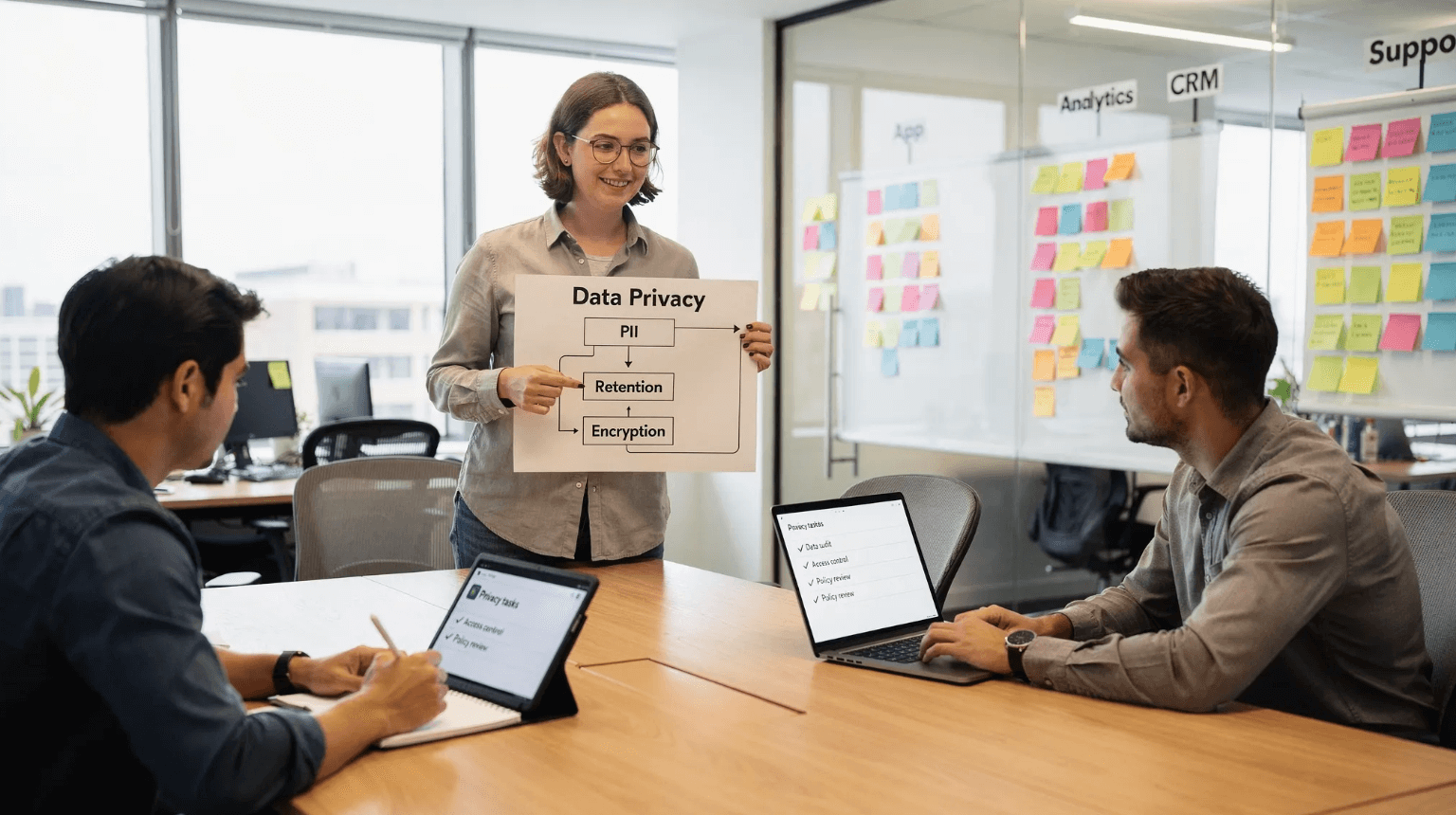
Data privacy is no longer a nice to have for early teams, it is a growth prerequisite. In 2026, enterprise buyers ask for a data map, deletion guarantees, and vendor risk evidence before a pilot. Regulators expect privacy by design from day one, and under GDPR, fines can reach the greater of 20 million euros or 4 percent of global turnover. The upside is that a lean, modern privacy foundation costs less than retrofitting later and it speeds up security reviews, fundraising, and sales.
This guide gives startup leaders a practical blueprint for data privacy, focused on doing the smallest set of things that unlock the most value. It is written for founders, CTOs, first security or ops hires, and anyone preparing for SOC 2 or ISO 27001 while selling into security conscious customers. It is not legal advice.

What data privacy means for a startup
Data privacy is about limiting who collects personal data, how it is used, how long it is kept, and how people can exercise their rights. Security reduces the risk of unauthorized access, privacy limits the scope and lifetime of data in the first place. Startups win when they minimize collection, delete on schedule, and prove these controls exist.
Foundational principles that scale
- Data minimization: collect only what you need to deliver the feature, not what might be useful later.
- Purpose limitation: document why you collect each field, do not repurpose data without a new legal basis and updated notices.
- Retention by default: set time to live rules so data is deleted on a schedule, not by manual cleanups.
- Security by design: encrypt in transit and at rest, restrict access, rotate keys, and monitor. Use client side encryption for the most sensitive secrets so the server never sees plaintext.
- Transparency and control: publish a clear privacy notice, honor user rights, and recognize Global Privacy Control signals where applicable.
- Accountability: assign an owner, keep records of processing, and review risks with DPIAs when you launch high risk features.
The 80-20 privacy stack for seed stage teams
Focus on controls that reduce risk and accelerate deals.
1) Build a lightweight data map
Create a single spreadsheet that lists systems, data categories, purposes, retention, and legal bases. Include your app database, analytics, crash reporting, CRM, support desk, billing, and cloud storage. This becomes your source of truth for audits and customer questionnaires.
2) Classify data by sensitivity
Keep it simple: public, internal, sensitive, and regulated. Treat credentials, government IDs, health data, financial account numbers, and precise location as sensitive or regulated. Restrict access and apply stronger controls to these classes.
3) Set retention and deletion policies
Attach a time to live to every table, event, and log. Short defaults are your friend, for example 30 to 90 days for raw analytics events, 13 months for aggregated metrics, and the minimum your business actually needs for support records. Make deletion programmatic and include backups. The less you store, the less you must protect and disclose.
4) Lock down access and secrets
Use SSO and MFA for admins, remove shared accounts, and grant least privilege. Store secrets in a password manager or secrets manager, not in wikis or chat. When you must transmit a secret, use an ephemeral, one time link that self destructs, not email or Slack. See why Slack threads create persistent attack surface in our explainer, Why Slack and Microsoft Teams Are Not Safe for Passwords.
5) Encrypt correctly
Enforce TLS for all traffic, encrypt data at rest with strong ciphers like AES 256, isolate keys in a managed KMS, and rotate keys regularly. For the most sensitive items, adopt client side encryption or zero knowledge patterns so plaintext never reaches your servers. This reduces breach impact and simplifies vendor risk conversations.
6) Vendor and cross border management
Keep a current list of subprocessors and sign DPAs with vendors that handle personal data. For transfers from the EU, rely on approved mechanisms like the EU US Data Privacy Framework or Standard Contractual Clauses, and perform Transfer Impact Assessments when needed.
7) Web and app telemetry, keep it lean
Prefer privacy friendly analytics, disable user level identifiers when not needed, and avoid bundling third party scripts that set tracking cookies without consent. Honor Global Privacy Control for opt out signals where required.
8) Incident response and user rights
Write a short playbook that covers containment, assessment, notification timelines, and regulator or partner contacts. Under GDPR you may have 72 hours to notify supervisory authorities after becoming aware of a personal data breach. Set up an inbox and workflow to handle data subject requests within statutory time frames.
What laws apply to early stage startups in 2026
Privacy rules vary by jurisdiction and sector. The following overview helps you spot what likely applies.
- GDPR and UK GDPR: covers personal data of individuals in the EU or UK. Requires a legal basis for processing, records of processing, DPIAs for high risk processing, and data subject rights. See the European Commission's overview of the EU data protection rules.
- California CCPA CPRA: grants rights to access, delete, and opt out of sale or sharing, and adds new obligations around sensitive personal information and contracts with service providers. See the California Privacy Protection Agency for guidance.
- Other US state laws: several states including Colorado, Virginia, Connecticut, Utah, Texas, and Oregon have comprehensive consumer privacy laws with GDPR like rights and obligations. If you have US consumers, expect to map overlapping requirements.
- Sector specific: HIPAA for health data in the United States, see the HHS HIPAA overview. GLBA for financial institutions, COPPA for children under 13, and PCI DSS for cardholder data, see the PCI Security Standards Council.
When in doubt, design to the strictest common denominator, document choices, and consult counsel for edge cases.
A 90 day startup privacy plan
- Appoint a privacy owner, typically the CTO or Head of Ops, and define decision rights.
- Publish an accurate privacy notice and subprocessor list, and set up a DSR inbox.
- Complete your data map and classify each system's data sensitivity and retention.
- Implement deletion jobs and backup retention rules aligned to your policy.
- Turn on SSO and MFA for all admin tools, rotate shared credentials, and audit access.
- Replace secret sharing over email or chat with one time, self destructing links.
- Sign DPAs with core vendors, and update contracts to include cross border terms.
- Run a tabletop incident response exercise, document who calls whom and when.
- Train staff on handling personal data and phishing awareness, track completion.
Proven privacy by design patterns
- Delete by default with TTL: attach a retention value to every table and queue. Make deletion tests part of CI.
- Pseudonymize identifiers: replace direct identifiers with random tokens or salted hashes, keep the token map in a separate service with tight access controls.
- Limit raw logs: store verbose logs only as long as they are needed for debugging, scrub query strings and headers to strip identifiers.
- Segment environments: keep production data out of dev, and if production data is needed for tests, anonymize it first.
- Separate secrets from messaging: communicate in chat, transmit secrets through ephemeral, zero knowledge channels. Your chat history should contain dead links, not passwords.
Handling secrets and credentials without creating risk
Credentials and recovery codes are high value targets, and they often leak through screenshots, email, or chat history. A safer pattern separates communication from transmission. Send the message in your usual channel, send the secret through a one time, client side encrypted link that self destructs after the first view. Our short how to shows the workflow for onboarding, How to Securely Send 2FA Recovery Codes to Employees.
Nurbak is designed for this exact need. Secrets are encrypted locally in the browser, links are one time access, and the content self destructs after it is read. Teams use it to reduce the lifetime of sensitive data, to keep secrets out of persistent systems, and to show a clean audit trail of access events without storing plaintext.
What buyers and investors ask for, metrics that help
| Metric | Practical target | Why it matters |
|---|---|---|
| Data map coverage | 100 percent of systems that store personal data | Speeds up security reviews and reveals hidden risk |
| Retention adherence | 95 percent of tables and logs with automated TTL | Reduces breach blast radius and storage cost |
| DSR response time | Under 30 days, faster is better | Meets statutory timelines and builds trust |
| Vendor DPA coverage | DPAs signed for all processors handling personal data | Reduces contractual and regulatory risk |
| Access control posture | SSO and MFA enabled for all admin tools | Prevents account takeover and insider misuse |
Common mistakes to avoid
- Treating privacy as a legal document instead of a product decision and control set.
- Keeping raw analytics events for years because storage is cheap.
- Pasting credentials into Slack or email, chat histories are searchable and long lived.
- Relying on cookie banners without minimizing tracking or honoring opt out signals.
- Waiting for a big customer to demand evidence instead of collecting it continuously.

Frequently Asked Questions
Do we need a Data Protection Officer at an early stage? Most startups do not need a formal DPO unless you process data at large scale, process special categories of data, or monitor individuals systematically. You still need a privacy owner to drive decisions and accountability.
Is privacy different from security? Yes. Security protects systems from unauthorized access or loss. Privacy limits which data you collect, how you use it, and for how long, and ensures individuals can exercise rights.
How long should we keep user data? Keep data only as long as necessary for the purpose you collected it. Set a default TTL for logs and events and make exceptions explicit. Shorter retention reduces risk and cost.
What is the quickest way to stop leaking secrets? Stop sending credentials over email or chat. Use an ephemeral, zero knowledge secret link that self destructs after one view, and save long lived items in a password manager.
Make secrets ephemeral and keep privacy lightweight
If you only change one thing this quarter, remove secrets from persistent channels. With Nurbak, you create a one time, self destructing link that is encrypted on the client and never stored as plaintext. It fits right into your privacy by design plan, it reduces the lifetime of sensitive data, and it gives you an audit trail that helps with SOC 2 and ISO questions. Try it free at Nurbak, and explore our guides on secure sharing, including SOC2 and Password Sharing: How to Maintain Compliance in Remote Teams.